Everything you'd build a rig out of.
A complete tour of the Fluence feature set: composition, clip library, hardware control, animation, output, recording, and the workflow pieces that hold it all together.
Sixteen clip types.
From shaders and video to live capture and built-in generators. Mix any of them on any layer.
Shader
ISF, GLSL .fs, and Shadertoy .json with multi-pass support. Mesh shaders, full PBR, OBJ and GLTF model import. Drop a shader file in your folder, refresh the browser, done.
Text
Animated text rendered with signed distance fields, crisp at any resolution. Per-character animation of position, scale, rotation, color, opacity, glow, with stagger by characters, words, or lines.
Fractal
Deep-zoom Mandelbrot using arbitrary-precision math, far past standard floating-point limits. Ten formulas, six palettes, click-to-recenter, auto-zoom, auto-rotate.
Shape Shifter 3D
Real-time SDF modeling. Build scenes from primitives, boolean ops, modifiers, and deformations. The engine generates only the GLSL your scene actually uses, on the fly.
Video
mp4, mov, mkv, webm, avi, wmv, flv, m4v. Speed control, reverse, in/out trim. Loop, ping-pong, once-hold, or once-eject playback.
Audio
mp3, wav, flac, ogg, m4a, aac. Trigger from the deck or place on the arrangement timeline as a waveform. Routes to the master output.
Image
png, jpg, jpeg, gif, bmp. Treat stills like any other clip. Transform them, blend them, drive their parameters with audio or hardware.
Web
Live HTML rendered via an embedded browser. Any URL or local file:// path. Use it for web visualizations, live data, or anything HTML can do.
Spout / Syphon
Receive video from other apps as live GPU textures: Spout on Windows, Syphon on macOS. Game engines, VJ tools, generative software, no encoding overhead.
DeckLink
Pro video input via Blackmagic DeckLink capture cards on Windows. Detected devices show up in the Sources browser automatically.
Capture
Webcams, USB capture cards, virtual cameras. Anything your computer sees as a video input works as a live source.
Screen
Capture a desktop, monitor, or single window through each platform's native capture path. Use any application's output as a clip.
NDI
Receive NDI video over the network from cameras, other machines, and NDI-enabled software. Sources on your network list themselves in the browser.
Test Card
Built-in calibration patterns: SMPTE bars, gradients, geometry overlays, frequency tests, FPS counter, frame index. For dialing in displays and projector setups.
Router
Routes another layer's composited output back as input. Feedback effects, layer mixing, recursive composition.
Plugin
Third-party clips written in Python, Node, or any executable. Communicates with Fluence over a shared-memory protocol.
Shaders are Fluence's deepest system. Formats, live parameters, multi-pass, mesh stages, and the compute layer have a page of their own.
Bring your own 3D.
Load OBJ or GLTF models, lit with full PBR. Or write your own mesh shader with vertex and geometry stages for procedural 3D, lit the same way. Either path, the model is just another clip on the deck.

Drive every parameter, three ways.
Bindings for performance, timeline automation for shape, FFT for response.
Keyboard, MIDI, OSC. One mapping system.
Click Edit Keyboard, Edit MIDI, or Edit OSC. Every mappable widget paints an overlay. Click the control, press a key or move a knob, done. OSC works the other direction: addresses derive from the control hierarchy, ready for TouchOSC.
Each binding has min and max, so you can scale 0 to 1 input into any range. One source can fan out to many targets, so a single key can fire a whole scene. Bindings save with the project.

Animate any value over time.
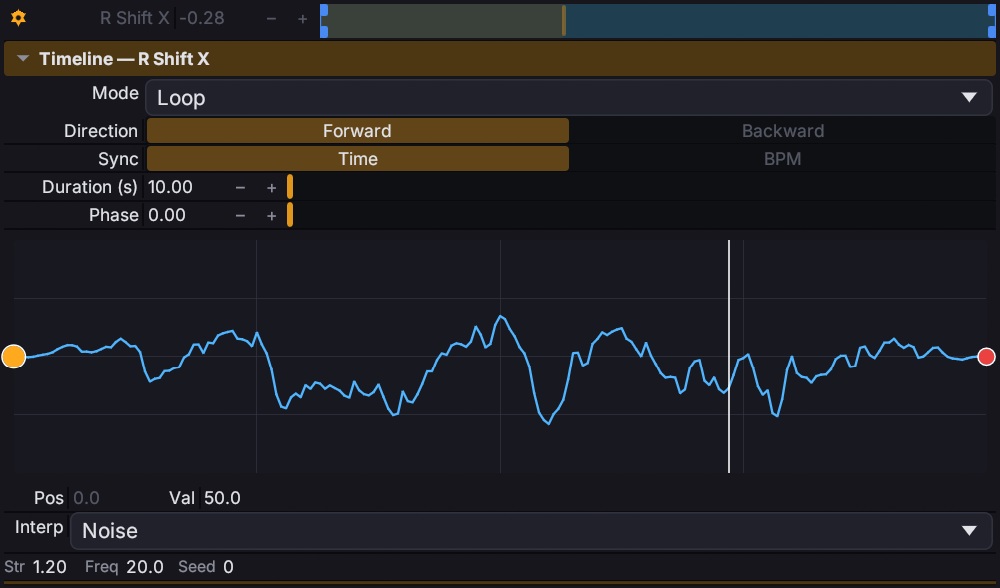
Loop, bounce, random, or play-once-and-hold. Sync to seconds or to your composition's BPM. Phase-offset multiple parameters to stagger them. Draw custom envelope curves with per-point easing: linear, quad, sine, circular, or noise for organic randomness.
Drive parameters from any frequency band.
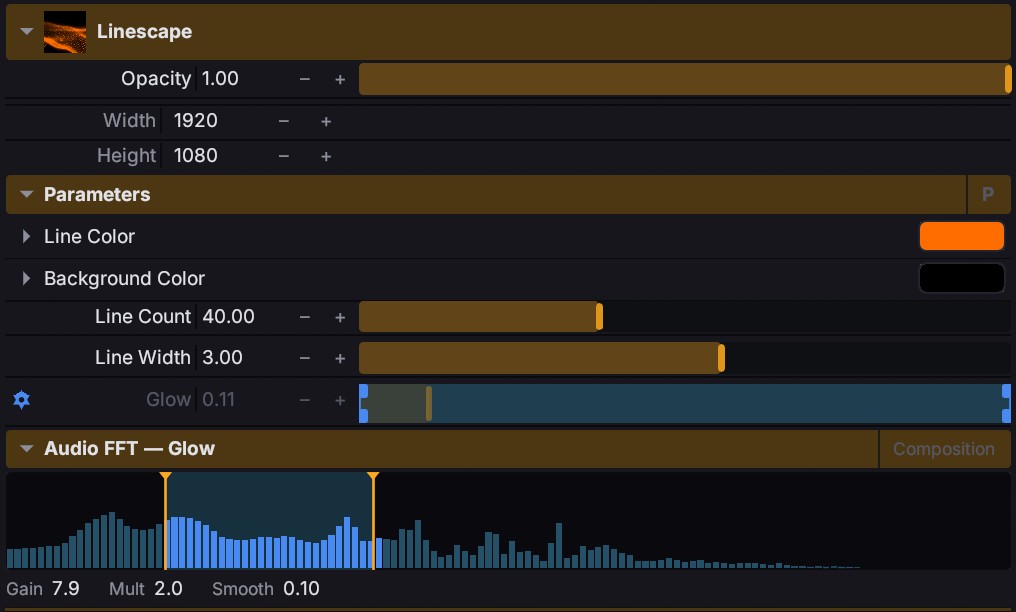
Pick a source: the room (composition output) or an external input. Set a frequency range. Tune gain, smoothing, multiplier, and output range. Reshape the response with an envelope curve. Every parameter that supports timeline automation also supports FFT.
One API for scripts and AI.
Everything in Fluence can be driven by code, yours or an agent's.
Local Control API
Newline-delimited JSON over localhost TCP, scriptable from Python, Node, or anything that can open a socket. Trigger clips, edit parameters, place automation, build arrangements, read full composition state.
AI agents, via MCP
Fluence ships with an MCP bridge. Register it with one copied command and MCP hosts like Claude can drive the app through 55 tools, including screenshots of the live composition so an agent can see what it made.
Built for live
Off by default and localhost-only. Requests are answered on the frame boundary with a fixed per-frame budget, so external control never disturbs the show. Every structural change lands on the same undo stack as your edits.
Stack, group, blend, transition.
Build the look at four scopes: clip, layer, group, composition.
Effect chains, anywhere.
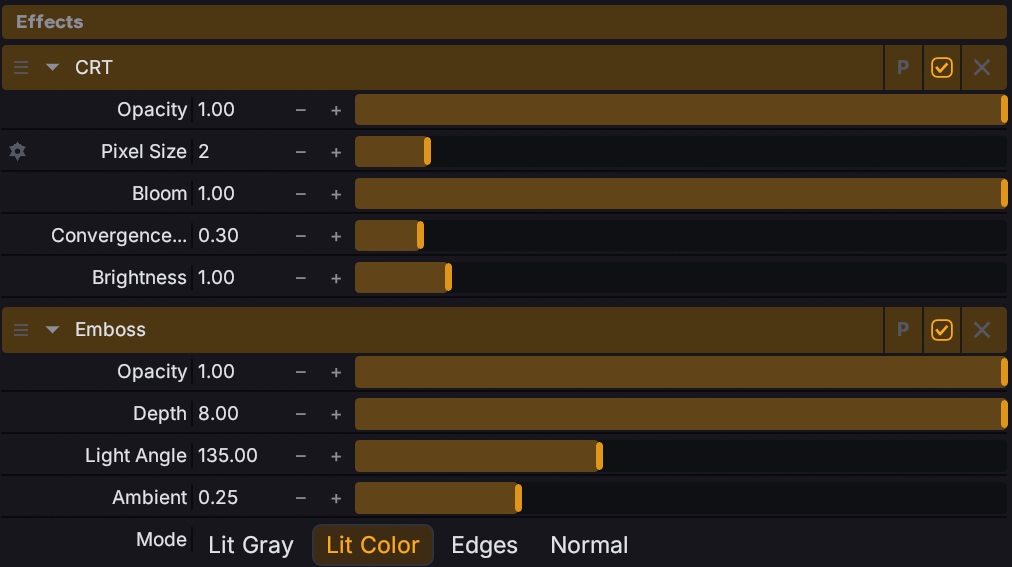
Drop effects on a single clip, on a whole layer, on a group, or across the entire composition. They run in order: clip, then layer, then group, then comp. Reorder with a drag, opacity-blend, enable/disable without removing, save preset chains.
Some effects are filters (input image required). Others are generators. Drop one on an empty slot and it becomes a clip that consumes the layers below as input.
Twenty-seven ways to mix.
From standard composite to creative keying. Pick how light, color, and detail combine on every layer or group, and switch modes mid-show.
Forty-eight transitions. Or write your own.
Every transition is a shader with tunable parameters, from clean cuts, fades, wipes, and pushes to glitches, warps, and zooms. Set them per layer with adjustable duration; on the arrangement timeline, overlapping two clips creates a transition from the overlap.
Drop your own transition shader into Documents/Fluence/Transitions and the standard
ISF transition contract works unchanged. The A/B crossfader blend is one of
these too, so even your master fade can be a custom shader.
Composite together, blend as one.
Group multiple layers and they composite together before blending with the rest. Groups have their own opacity, blend mode, and effect chain. Useful for treating a sub-mix as a unit.

From one screen to a whole rig.
Multi-display, projection mapping, edge blending, warping, Spout. All in one output engine.
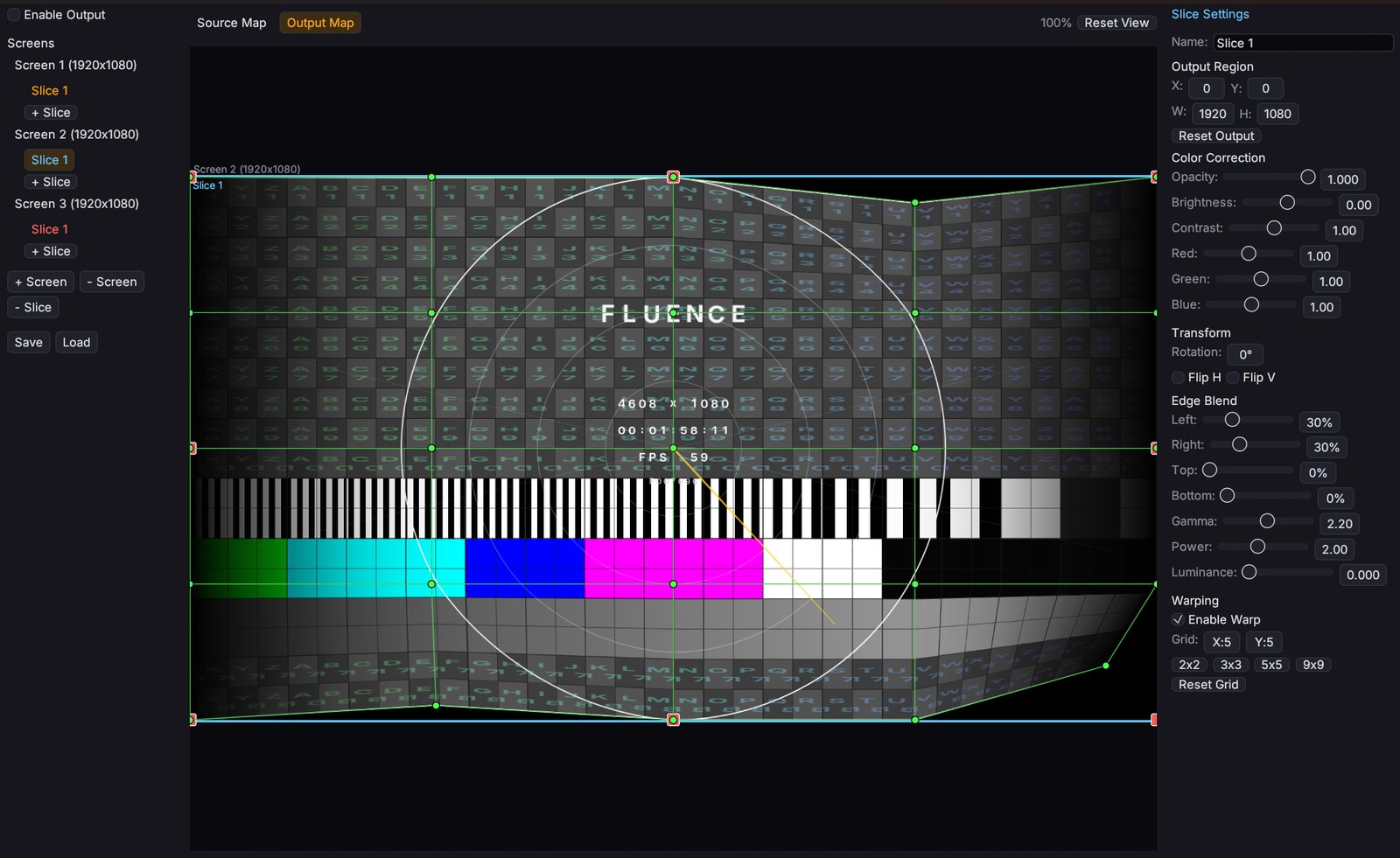
Multi-display, with projection mapping.
Quick output: borderless fullscreen on any monitor, or a windowed output at composition resolution. Advanced output: multiple screens (each a monitor, Spout sender, or virtual destination) with slices mapping regions of the composition to regions of the screen.
Per-slice opacity, brightness, contrast, RGB, rotation, flip. Edge blending for overlapping projectors. Warping grids for non-flat surfaces.
Texture sharing, both directions.
Send Fluence's output to other apps and pull their output back in as clips: Spout on Windows, Syphon on macOS, both without ever encoding video. NDI covers the network: receive sources from cameras and other machines, and publish Fluence's output as an NDI sender.
Capture the live show. Render the prepared one.
Live recording
Capture the composition or any layer. Bar-aware triggers start on the next clip, the next bar, or after a delay. Stop after seconds, beats, or when all clips finish.
Export
Twelve codecs: H.264, ProRes 422/422 HQ/4444, PNG sequence, plus GPU-direct HAP and DXV3 in four flavors each. Queue multiple jobs and render full arrangements.
The pieces that hold it together.
Modular dock
Drag any panel to reposition, split, or tab. Open multiple Viewports and Parameters panels. Layout saves with the project.
Theme system
Four presets: Midnight, Cobalt, Emerald, Rose. Or pick any accent color. Adjustable UI scale. Dark / light mode.
Arrangement timeline
Switch from deck-style triggering to a track-based arrangement. Drag clips to tracks, scrub, set loop regions, razor-split, range-select.
Undo / redo
Structural and parameter changes are both undoable. Save and load compositions as JSON; the format is versioned.
Snapshots
Press a key, capture a single frame as PNG. Composition snapshot or per-clip snapshot. Auto-inserts as an Image clip in the next empty slot.
Plugin architecture
Extend Fluence with third-party clips and effects. Python, Node, or any executable runtime. Shared-memory frame protocol with per-plugin permissions.
Decks
Pages of clip content. Layers, groups, effects, and the crossfader are shared across decks, and switching never interrupts output: playing clips hold until you trigger something new.
Beat grid & timecode
Tap tempo, one-key grid resync, and BPM Snap to quantize launches. Clips run on local, global, or BPM-synced time, or lock to SMPTE with two LTC timecode inputs decoded straight from audio.
A/B crossfader
Assign layers to A or B buses and fade between them. The blend itself is a pickable transition shader, and punch buttons cut hard to either side, mid-performance.
That's the tour.
Download Fluence and try it on your own rig. Every feature works before you buy a license.